CandyBot
A voice-controlled candy dispenser on a Raspberry Pi. You ask for sweets out loud, a cloud pipeline turns speech into a structured command, and the robot serves the colours and amounts requested. It also sorts its own stock with a camera.
- Status
- Completed
- Period
- Feb 2026 – Jun 2026
- Context
- Robotics Lab, a final-year elective at the Autonomous University of Barcelona. Team of four, with Pol Montesó Tarrida, Xavi Umbert Medina and Matheus Henrique Mingorance Maciel.
- Role
- 3D parts and mechanical lead, and product owner
- Area
- AI and Robotics, Hardware and Mechanical Design
- Stack
- Topics
- Mechanical design · CAD · 3D printing · Embedded control · Speech-to-text · LLM integration · Colour vision
Overview
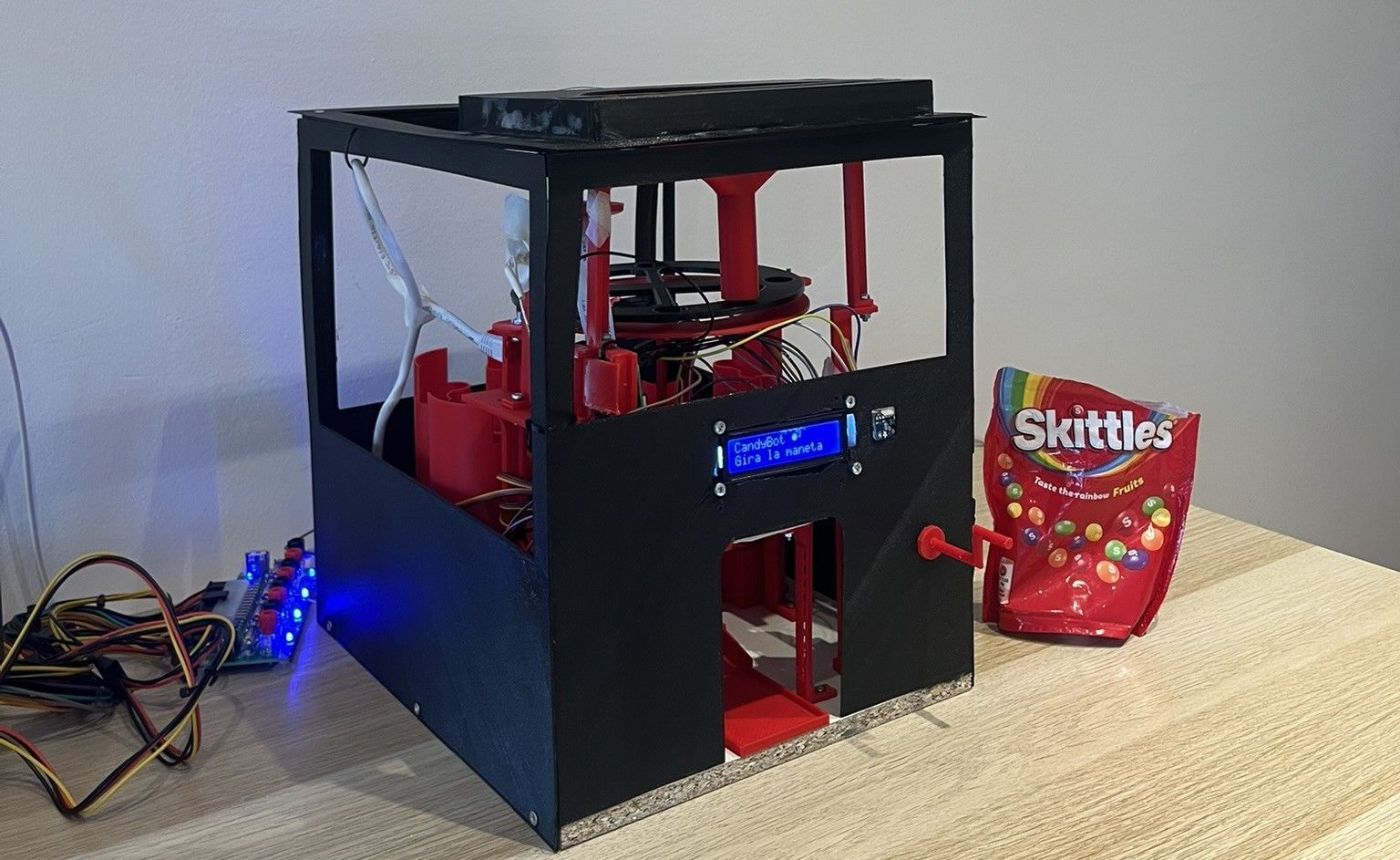
A user turns a crank and asks for sweets out loud, in Catalan or Spanish: “two red and one yellow”. The robot transcribes the request in the cloud, turns it into a structured command and dispenses exactly those Skittles. Given a mixed bag, it also sorts itself: a rotating tray feeds candies one by one past a camera, which reads each colour and drops it into the matching container.
The project combines mechanical design and fabrication, embedded control, computer vision and a cloud language pipeline. My role in the team of four was mechanical lead and product owner: I led the design and iteration of the 3D-printed parts and mechanisms, and owned what the robot had to do.
It was also designed with a specific audience in mind. Sorting and ordering objects is a well-documented self-regulatory behaviour across the autism spectrum, and CandyBot engages that tendency in a playful way, with an interaction (voice plus a physical crank) that avoids the pressure of direct human interaction. After consulting professionals in the field, the exterior was kept black and visually quiet, with red only inside to invite curiosity.
How it works
- 01CrankReed switch pulses start recording
- 02Voice clipWAV sent over HTTPS when the crank stops
- 03Speech-to-textGoogle STT v2, tuned for Catalan
- 04Language modelGemini 2.5 Flash returns strict JSON
- 05RobotDispense, reload or cancel; LCD feedback
There are no buttons or touch screen. A magnet on the crank passes a reed switch once per turn; while the crank turns, the Pi records audio, and when it stops the clip goes to the API. The response is a validated command such as:
{
  "action": "dispense",
  "confidence": 0.95,
  "items": [
    { "color": "red", "quantity": 2 },
    { "color": "yellow", "quantity": 1 }
  ]
}
The language model is constrained by a system prompt and by native structured output: it must return only JSON matching the schema, map Catalan and Spanish colour names to a canonical set, and answer nothing when the intent is unclear or cancel when the user wants to stop. Every response is parsed and validated with Pydantic before the robot acts on it; a malformed answer is rejected rather than executed.
Cloud API
The API is a stateless FastAPI service in a Docker container on Google Cloud Run. POST /v1/command validates the upload, runs speech-to-text and the language model, validates the result and returns the command; requests are authenticated with a shared token, and the latency of each stage is logged on every request. Keeping speech and language processing in the cloud leaves the Raspberry Pi with only hardware control.
Software on the robot
The on-device code gives each piece of hardware its own controller with a small interface: crank, LCD, servos, camera, dispensing and reloading. The main loop is deliberately simple: wait for the crank, record and send, then dispatch to the dispense or reload flow.
Stock is kept in SQLite with a CHECK (quantity >= 0) constraint, so it can never go negative even if a bug skipped the availability check. Every controller also falls back to a simulation mode when its hardware is missing, so the whole stack runs and can be tested on a laptop.
Colour vision and self-sorting
During a reload, a continuous-rotation tray carries candies under the camera. The vision system reads a small region of interest at a fixed position, converts it to HSV, and takes the median hue, saturation and value. Readings are rejected when they look like the black tray, a shadow or an empty slot; otherwise the colour is the nearest reference hue by circular distance. Reference hues are calibrated per unit for the camera and lighting.
A colour is only accepted after two consecutive frames agree, which filters out reflections and half-covered slots. The ramp servo then turns towards the matching container and the stock is updated. A background thread keeps listening, so the user can stop a reload by turning the crank and saying “para”.
Mechanical design
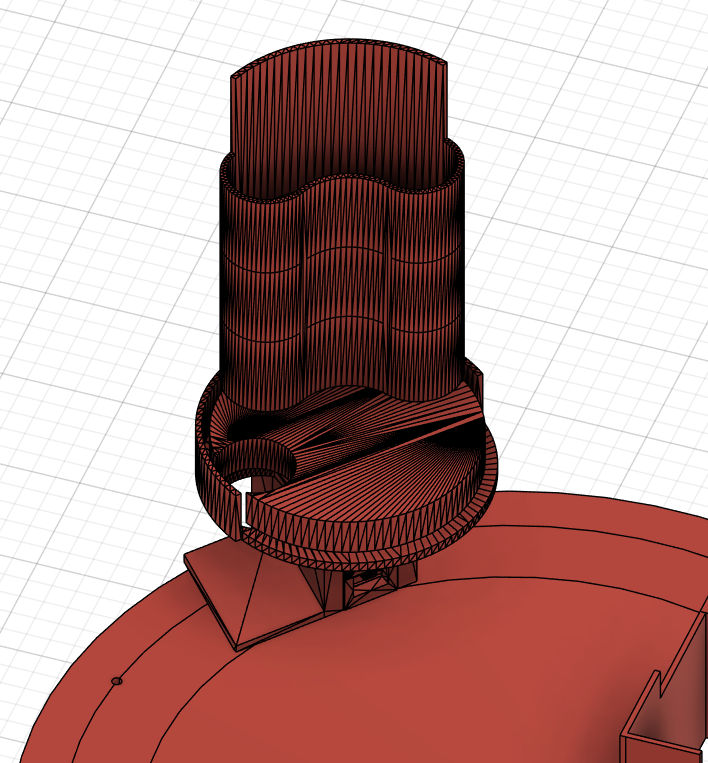
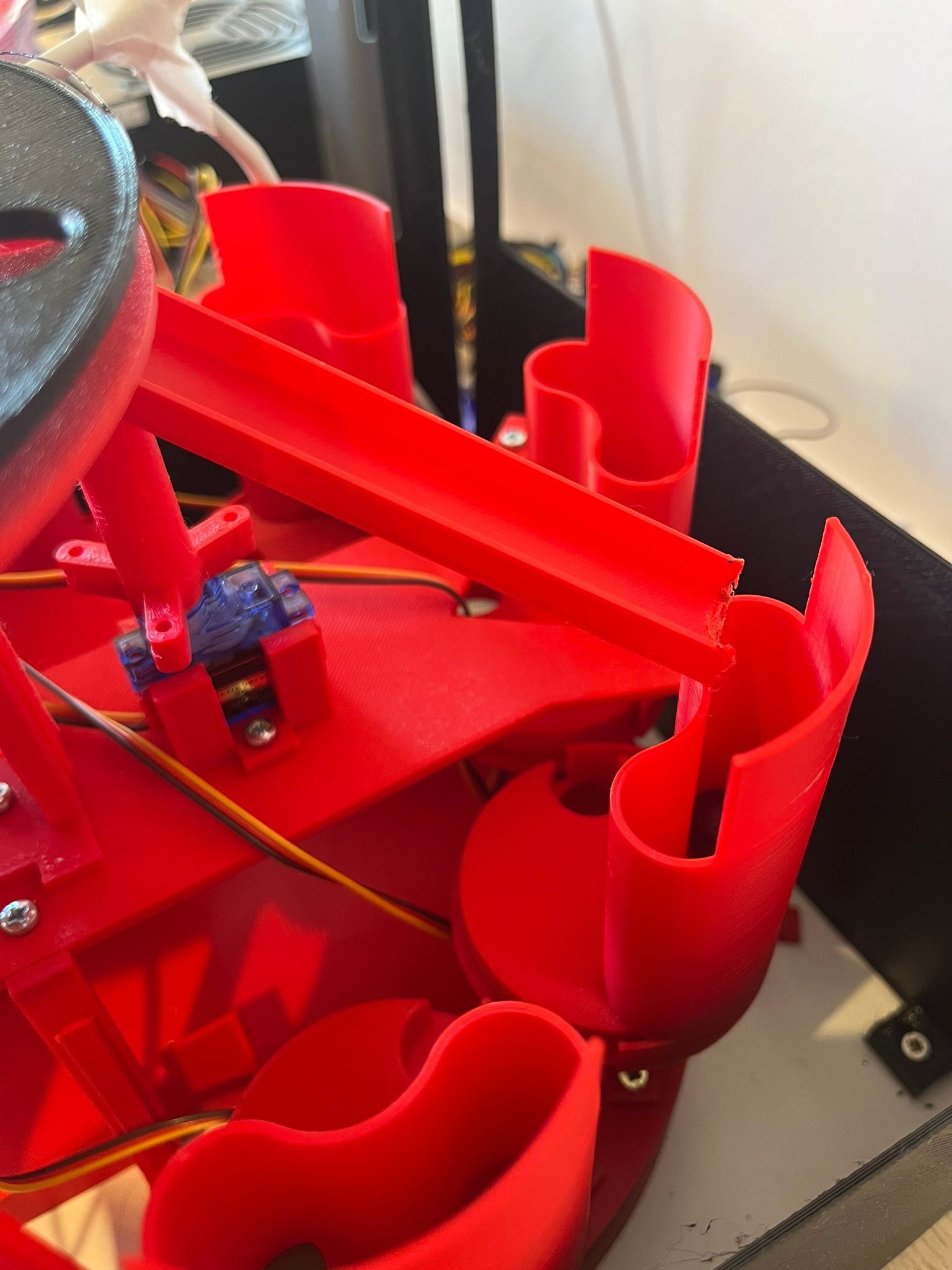
All structural and mechanical parts were designed from scratch for this robot. The final build has around 29 distinct printed parts, and many more were designed along the way as prototypes and corrected versions.
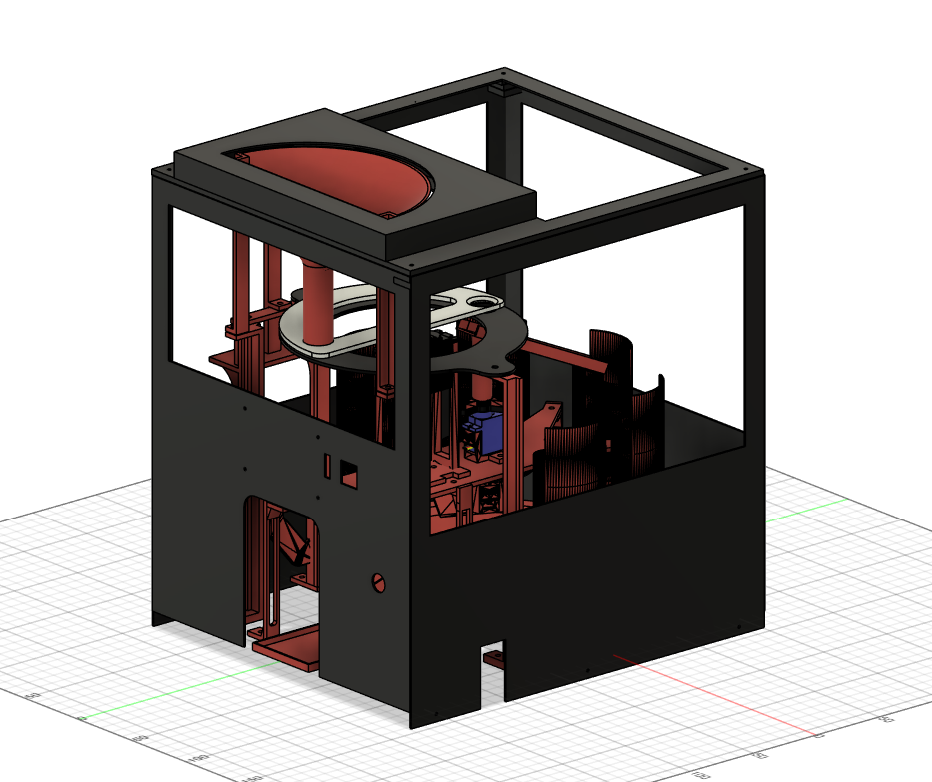
Two priorities guided every iteration. Maintainability: any part can be removed and replaced without disassembling the robot. Robust assembly: screwed joints throughout, avoiding snap fits that degrade with use. Dimensional accuracy mattered most in the moving mechanisms (the sorting tray, the dispensers and the ramp), where small deviations add friction that breaks the timing of the sorting cycle.
From design to robot
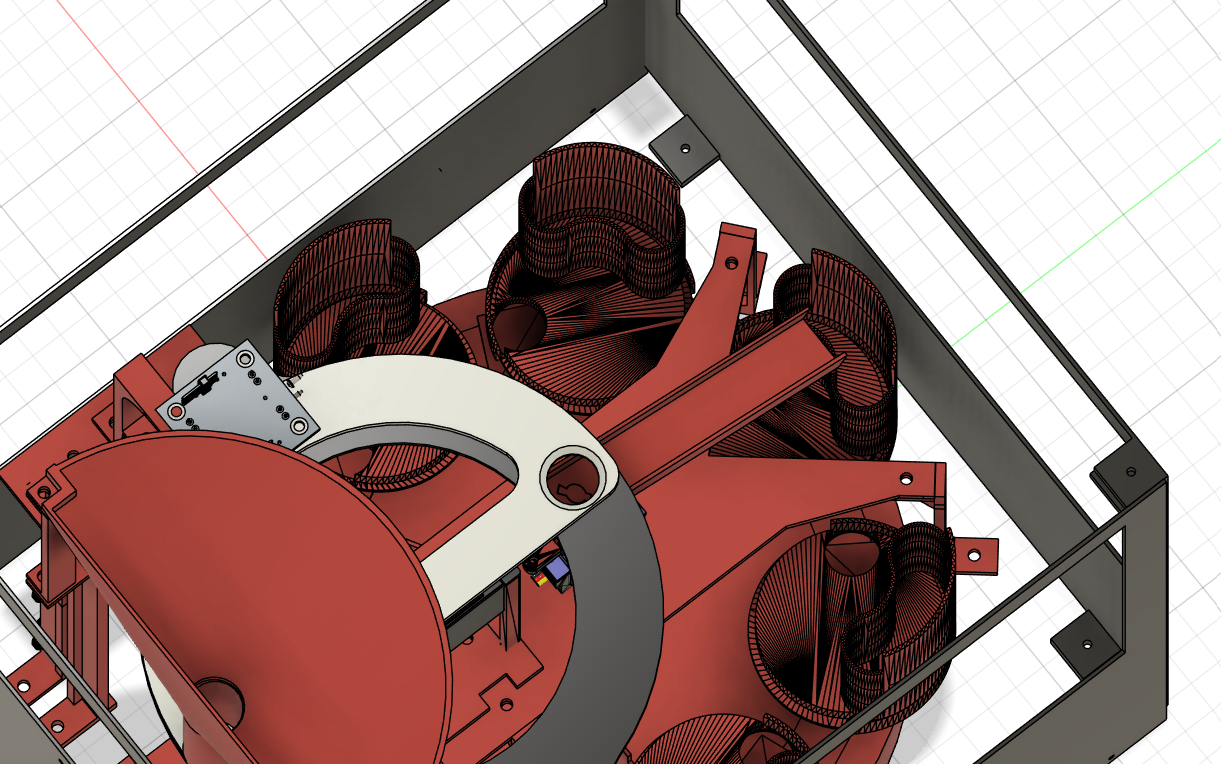
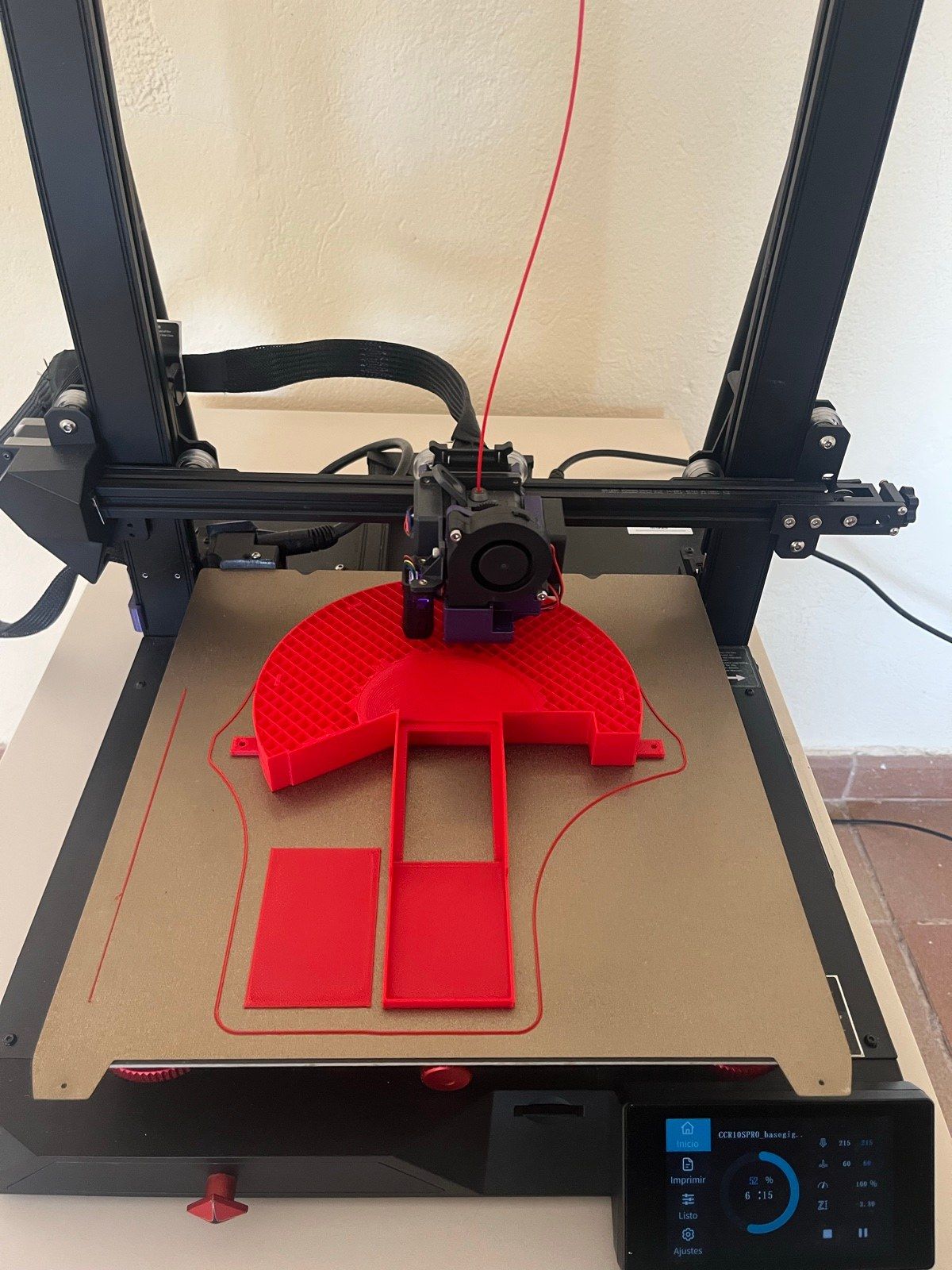
Every part went from Fusion 360 to the slicer to the printer, and back again whenever a test exposed a tolerance or a weak joint.
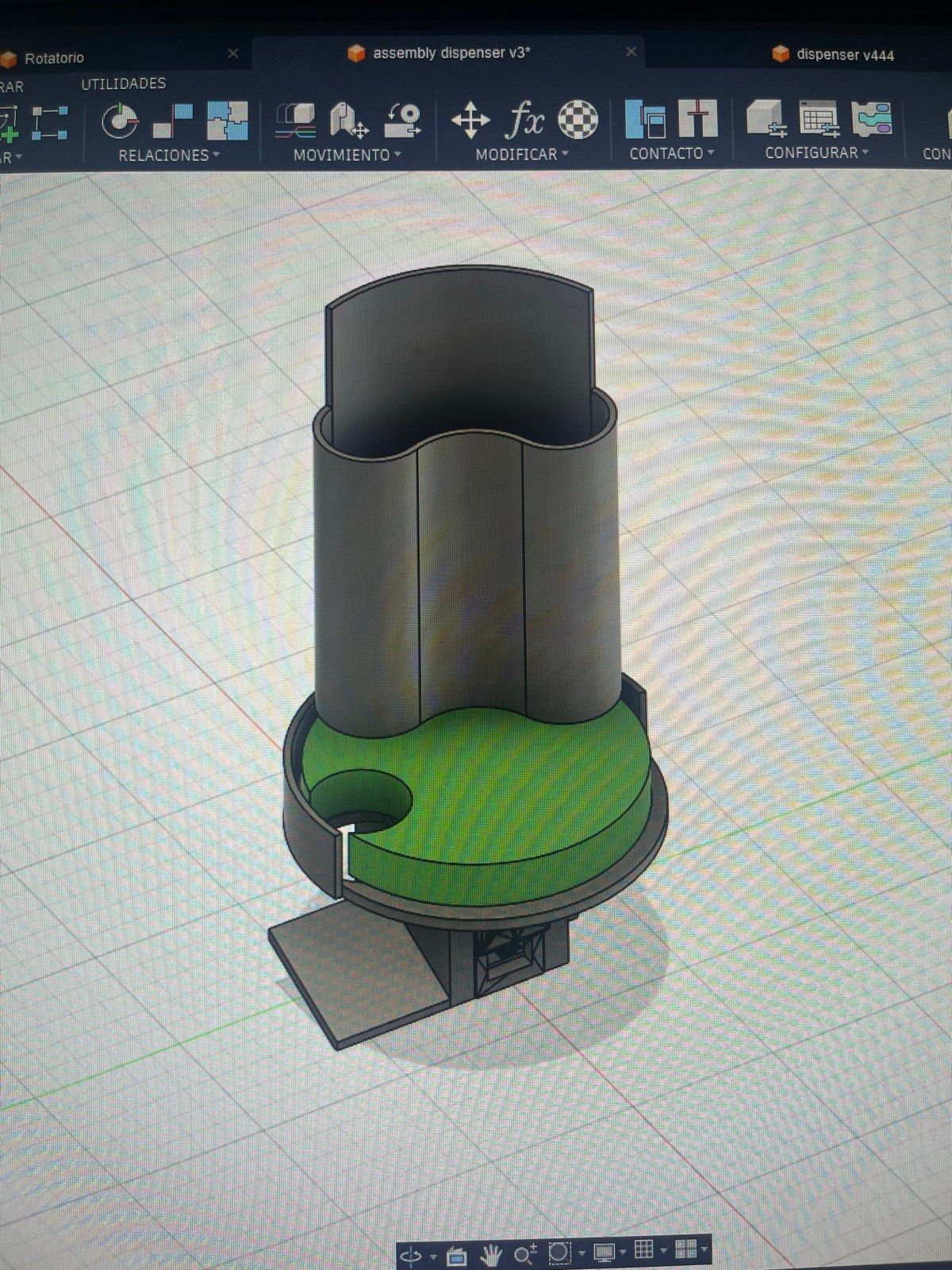
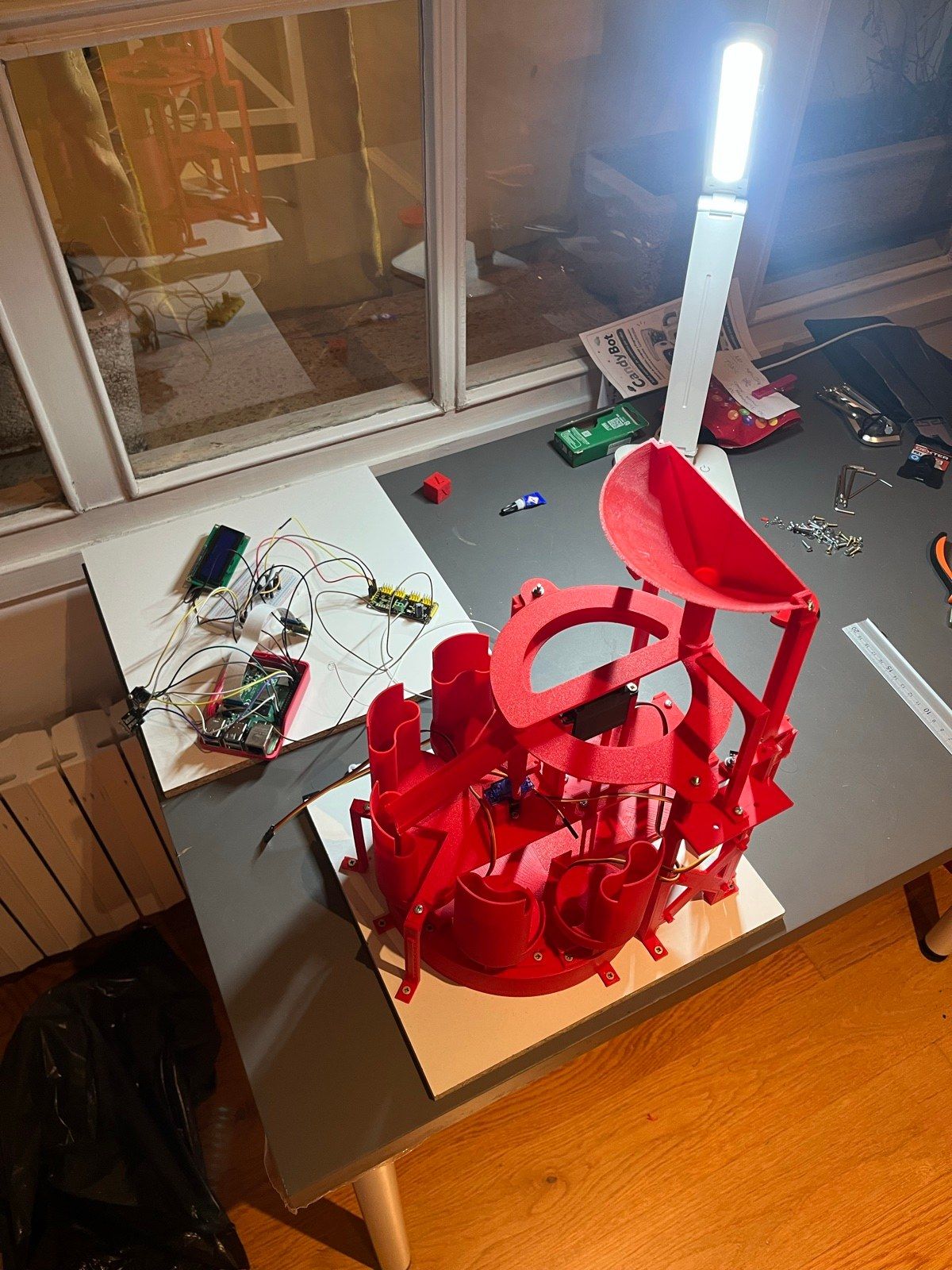
One design change had a large effect on throughput. The first sorting tray had a single slot and had to oscillate back and forth for every candy; the final tray rotates continuously with four slots, removing the reversal and multiplying sorting throughput by four.
Hardware
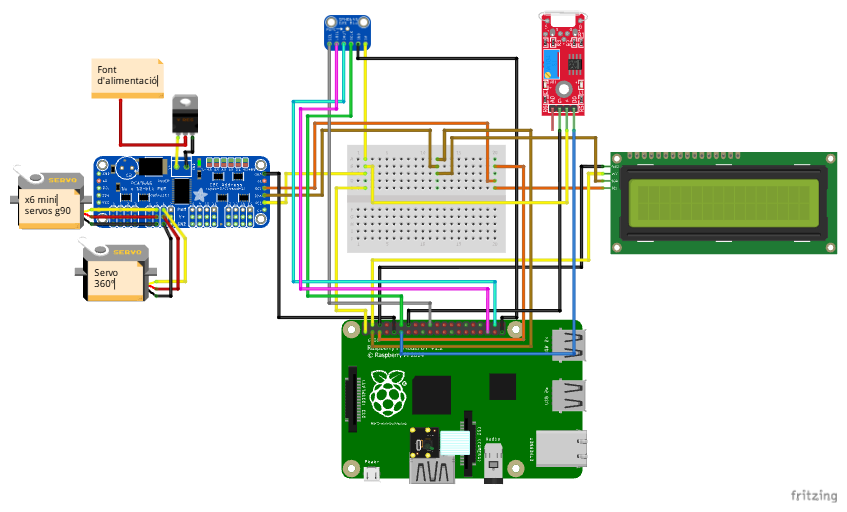
A Raspberry Pi 4 drives everything: a PCA9685 PWM board runs seven servos (five dispensers, the ramp and the continuous-rotation tray), with a Pi Camera Module v2 for colour, a 16×2 LCD for feedback, a USB microphone and the reed switch on the crank.